A VP of marketing emailed me last fall to say her open rates had dropped about 18 percent over six weeks and her team couldn't figure out why. No content changes. No list changes. Same sender domain. Same warm IPs. The deliverability tool showed everything green. The dashboards showed nothing alarming. She'd already opened a ticket with her ESP, who'd shrugged. By the time she got to me, the team had spent three weeks rewriting subject lines and A/B testing send times. None of it helped. The cause was email over-messaging, and it was hiding in plain sight because nothing in her stack measured it the way mailbox providers do.
Over-messaging is the deliverability problem that doesn't show up in the report card. By the time it does, you've lost a quarter.
Over-messaging is not the same as email collisions
I want to draw this distinction sharply because it's the single thing that determines whether you'll fix the problem or chase the wrong solution for six months.
- An email collision happens in hours. Multiple sends from your domain land in the same inbox in a short window - say, three emails before lunch. The recipient experience is bunching. The deliverability impact is acute and engagement-based: that fourth email is the one that doesn't get opened.
- Over-messaging happens in weeks. The cumulative volume of sends from your domain to one recipient exceeds what the mailbox provider has learned to expect from a legitimate sender, even if no single day looks dramatic. The deliverability impact is chronic and reputational: your domain quietly slides into the promotions tab, then into spam, for that one recipient. Then for the next.
Collisions are a same-day problem. Over-messaging is a same-quarter problem. You need to solve both, and you can't fix one by solving the other.
How mailbox providers measure over-messaging
The thing that gets lost in most deliverability conversations is that Gmail, Outlook, and Yahoo do not measure sender reputation at the domain level alone. They measure it at the (sender, recipient) pair level. The model in their heads is: how much email does this sender send to this recipient, and does this recipient engage with it? Both Google's sender guidelines and Yahoo's sender best practices describe this engagement-based reputation model explicitly.
Three signals matter most for the over-messaging picture:
- Frequency per recipient. Emails per recipient per week. Anomalous spikes, especially against quiet baselines, get noticed.
- Engagement trajectory. If frequency is climbing and open rate is falling for the same recipient, that's a textbook over-messaging signature. Mailbox providers don't need to know your reasons.
- Volume-to-engagement asymmetry. If a recipient hasn't opened anything from you in 60 days and you sent 12 emails in the last month, that's a quality signal too - one that affects your sending reputation for other recipients, not just this one.
Notice what's not on this list: total domain volume, marketing-vs-transactional classification, your IP warming history. Those matter for other things. They don't determine whether you've over-messaged a specific person.
Why over-messaging is invisible inside HubSpot
HubSpot has a frequency cap. It applies to marketing emails sent through the marketing email tool. I wrote a separate post on the HubSpot email frequency cap and exactly what it covers (short answer: not enough). Even with the cap perfectly set, your over-messaging exposure has three components:
- Marketing email under the cap. Covered, mostly.
- Sales sequences, transactional emails, and one-to-one sends. Not covered. In a normal B2B portal, this is often the majority of volume to engaged contacts.
- Anything sent from outside HubSpot. Your webinar tool, your support desk, your billing system. All of these contribute to your domain's recipient-level frequency. None of them appear in HubSpot's count.
The marketer who's confident she's not over-messaging because her cap is set is the same marketer whose engaged contacts are getting 9-11 emails a week from her domain. The mailbox provider sees all of those. The HubSpot dashboard sees three.
The "over-instrumented marketer" failure mode
There's a specific archetype I see at this stage of company growth - the over-instrumented marketer. She has 14 workflows, a sequenced sales motion, a behavioral re-engagement program, three lifecycle nurtures, a product launch cadence, and a monthly newsletter. Each of those programs is good. Each was approved on its own merits. None of them were designed in the context of the others.
The result is a database where engaged contacts - the most valuable segment - receive a steady 7 to 10 emails per week, every week, and the team's dashboards are all green because no single program is misbehaving. The deliverability decline shows up six months later as a slow, broad-based drop in open rate that the team attributes to "subject line fatigue" or "audience saturation."
It's not fatigue. It's the inbox provider downgrading the placement of your sends. The fix is structural, not creative.
How to see over-messaging in your own portal
This is the visibility gap we built the Over-Messaging Tracker to close. We shipped it in April 2026 because every audit conversation was running into the same wall: marketers couldn't see their recipient-level frequency across the full stack, and the consequences were always discovered after deliverability had already moved.
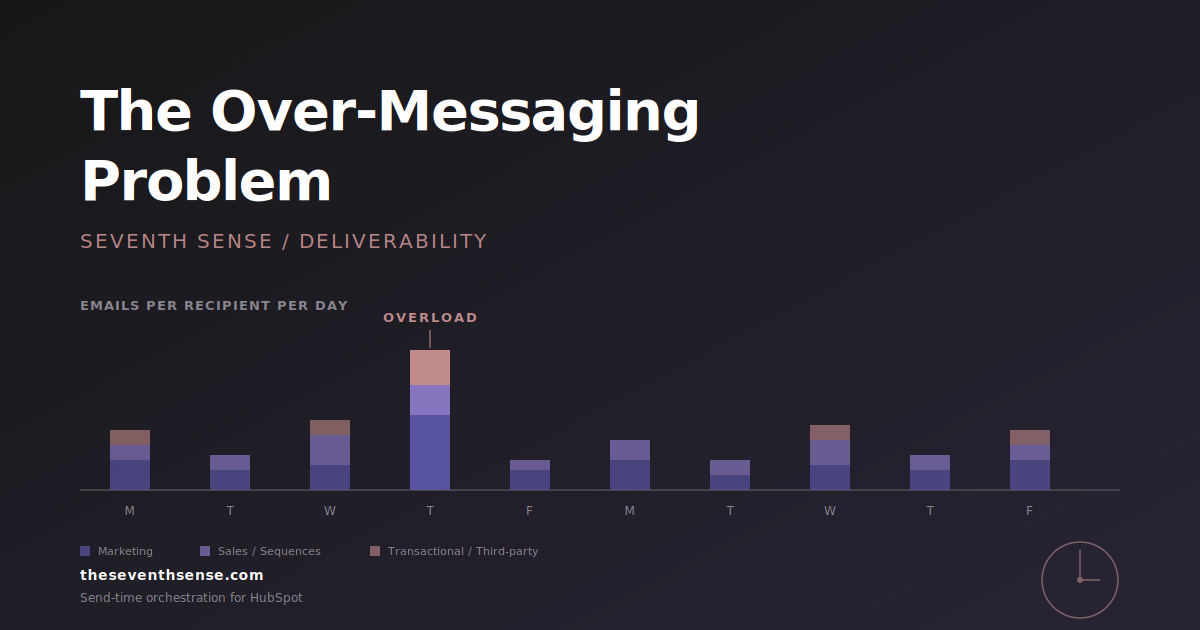
The tracker maps where newsletters, automations, promotions, sales sends, and transactional emails are stacking against the same recipients across rolling windows. It produces a recipient-level frequency histogram for your engaged segment, which is the chart you actually need to look at. The first time most marketers see it, the reaction is "wait, that contact got how many emails?" That's the moment over-messaging stops being theoretical.
If you don't have a tool that surfaces this, you can approximate it manually. Pick 20 engaged contacts at random. Pull their full email history from the last 30 days - not just the marketing tool view, the full record including sales sends and any third-party connectors. Count the emails per contact per week. If your median is above 6 to 7, you're likely contributing to your own deliverability problem. The full HubSpot email collision audit walks through the sampling method step by step.
What to do about over-messaging
The fixes split into two categories. Both matter.
Reduce volume where it isn't earning its keep
Over-messaging is almost always cumulative - the result of programs that individually looked reasonable. The fastest fix is to find the programs that aren't pulling their weight (low open rate, low click rate, low downstream conversion) and either suppress them for already-engaged contacts or retire them. Engaged contacts don't need three nurture tracks on top of the newsletter on top of the product update. Pick the ones that are actually working and let the rest go.
Distribute the remaining volume properly
For the volume you keep, the goal is to spread it across the week instead of stacking it. This is where recipient-centric orchestration earns its keep - the system knows what this contact has already received and releases the next email accordingly, instead of every program independently deciding "now is the perfect time" for the same Tuesday morning slot.
The forward-looking principle
In my experience, the marketing teams that win on deliverability over a multi-year window are the ones that internalize a single shift: your sending reputation lives at the recipient level, not the campaign level. Once that's the lens, the right questions get asked. Once it isn't, the cap gets set, the dashboards get watched, and the open rate quietly slides for two quarters before anyone notices.
Frequently asked questions about email over-messaging
What's the difference between email over-messaging and email collisions?
A collision is multiple emails to the same recipient in a short window - hours. Over-messaging is the broader cumulative pattern of too many emails to the same recipient over weeks or months. Collisions are an acute engagement problem; over-messaging is a chronic reputation problem. Both contribute to deliverability decline but through different mechanisms.
Does HubSpot's frequency cap prevent over-messaging?
Partially, and only within the marketing email tool. The cap doesn't see sales sequence sends, transactional sends, or anything sent from outside HubSpot. In most B2B portals, the volume that falls outside the cap is larger than the volume inside it, so the cap is a useful guardrail but not a complete defense against over-messaging.
How do mailbox providers detect over-messaging?
Mailbox providers track sender reputation at the (sender, recipient) pair level. They look at frequency per recipient, engagement trajectory (is open rate falling while frequency rises), and the gap between sends and engagement (sending heavily to someone who hasn't opened in 60 days). These signals affect inbox placement for that recipient and, in aggregate, your domain's reputation overall.
How many emails per week is too many for B2B?
There isn't a single number, but for engaged B2B contacts, anything above 4 to 5 emails per week from your domain is worth scrutinizing. The actual ceiling depends on how engaged the contact is, how relevant the content is, and how consistent the historical pattern has been. Sudden spikes against a quiet baseline are more dangerous than a stable higher cadence.
Where to go from here
If you want to see whether over-messaging is contributing to a deliverability decline you've been chasing through other means, the free trial of Seventh Sense includes the Over-Messaging Tracker. It connects to your HubSpot portal in about 15 minutes and shows you the recipient-level frequency histogram for your engaged audience - the chart that determines what mailbox providers think of your domain.
The over-messaging problem is solvable. It's mostly a visibility problem first. Once you can see it, the playbook is clear.
See what your email program could be doing.
Connect Seventh Sense to your HubSpot portal and watch the AI surface per-person engagement profiles, per-inbox-provider performance, and AI-driven optimization recommendations - within 24 hours.
Try it free →